Choose a server
What the vault’s server does, what it sees, and whose to use.
Every vault has one server, shared by all its members. It passes encrypted messages between their phones and keeps the vault’s history, so everyone sees the same payments. It is not the Zcash server (Settings, This phone), which each phone uses to read the blockchain.
What a server sees
- Sees: each member’s public keys, encrypted messages with their size and time, and the phones’ IP addresses unless they use Tor.
- Never sees: keys, balances, amounts, addresses or memos. It can’t spend, and it can’t make a phone sign anything that phone didn’t check.
- Can: delay or drop messages, or go offline. Payments then wait; funds stay safe. Each phone keeps its own copy of the history, so a server that loses or changes it is caught.
Zafe’s server or another
- Zafe’s (relay.zafe.cash): run by us under our privacy policy, with notifications.
- Another operator’s, or your own: they see what a server sees instead of us, and their terms apply. No notifications: phones check in the background and when you open Zafe. Every member must be able to reach it.
Pick or check the server
- New vault: on New vault, tap More options, then Server. Everyone who joins uses it.
- Existing vault: open Settings, then Server under the vault’s name. It shows the address, who runs it, its status and whether it sends notifications.
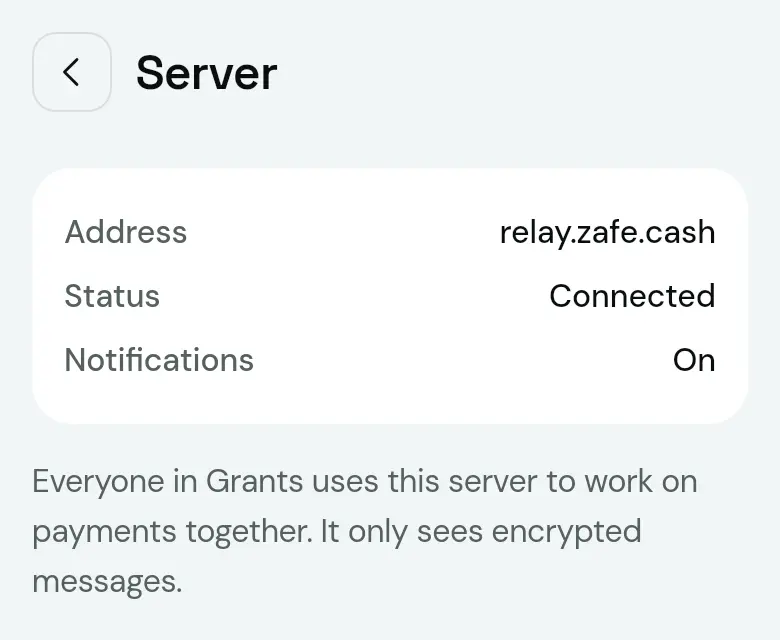
In the server list, pick a listed server or tap Other address and type, Paste or scan one, then tap Use this server. Only the server you select is contacted. To change an existing vault’s server, move it.
If it goes wrong
- “Not a Zafe server.” or “Couldn’t connect.”
- Check the address with whoever runs it. “Its certificate isn’t trusted.” means its HTTPS setup is broken.
- “It runs an older Zafe server and can’t hold new vaults.”
- Its operator needs to update it.
- It asks for a Create token
- The server is private. Ask its operator for the token, or for an address with the token after
#.
Checked with Zafe 0.1.23 · 2026-10-27